Reading progress

Track, store, and review reading progress for books on Android

Booky helps not only with capturing books, but also with actual reading. You can keep current page, total pages, read state, ratings, and other book details directly inside the same collection you organize.

Start right away

Open Booky on Google Play now

The official listing takes you straight to the Android app without extra steps.

Official Android download

Get it on Google Play
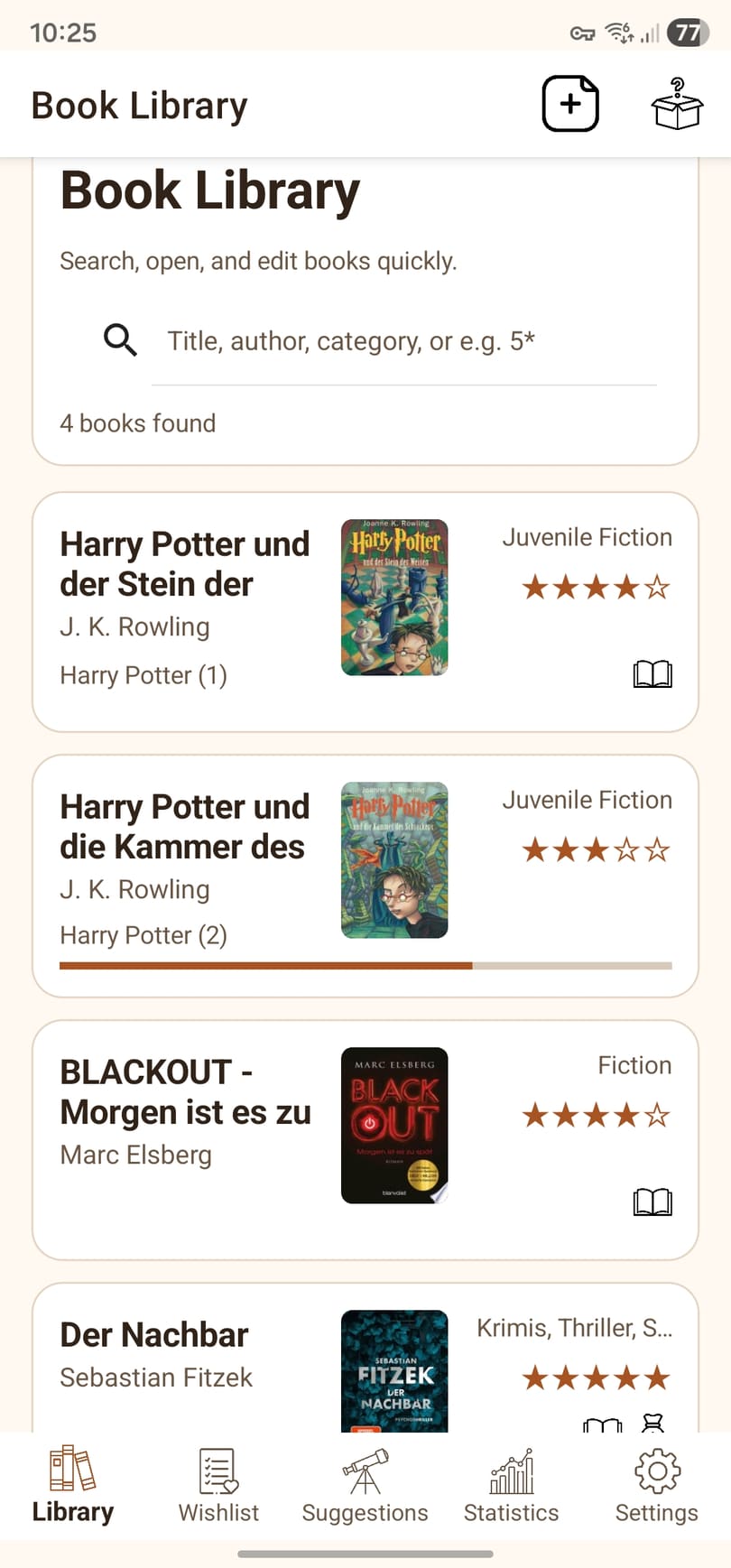
Library view of the Booky Android app in English
Library in Booky

Your collection, covers, and search stay easy to scan inside the library view.

Benefits

Why reading progress is more than a page number

Reading progress becomes much more useful when it works together with your collection, wishlist, and ratings.

Directly on the book

Current page and total pages stay attached to the title

You do not need a separate note for reading state. The data lives where the book is already organized.

Status

Read, sold, or still open stays visible

Booky helps classify books by their real place in your reading life, not only by ownership.

Reflection

Ratings, series, and insights stay in context

That makes reading progress part of your personal book history instead of an isolated number.

Flow

How Booky supports ongoing reading

The app links reading progress to the same collection you already use, so you do not have to keep separate systems in sync.

1

Open the book entry

Each book keeps its core reading data with the rest of its library information.

2

Update progress

Current page, status, and rating can be kept up to date with minimal friction.

3

See patterns in the collection

Because the data is not isolated, it is easier to understand how your library and reading habits are evolving.

Who is it for?

Relevant if ...

Active readers benefit the most when progress, wishlist, and collection all live in one Android app.

  • you want to manage started and finished books in the same app
  • you do not want to split page counts, status, and ratings across tools
  • you want reading progress on Android without forcing a generic note app into the job
  • you want your collection to double as a reading history
Continue

More around collection, scanning, and local-first use

These pages connect reading progress with the matching topics around capture and organization.