ISBN scanner

Scan books by ISBN on Android and manage them right away

If you want to capture many books quickly, Booky's ISBN scanner is one of the most useful entry points. It combines camera capture, metadata preview, duplicate hints, and direct saving in one mobile flow.

Start right away

Open Booky on Google Play now

The official listing takes you straight to the Android app without extra steps.

Official Android download

Get it on Google Play
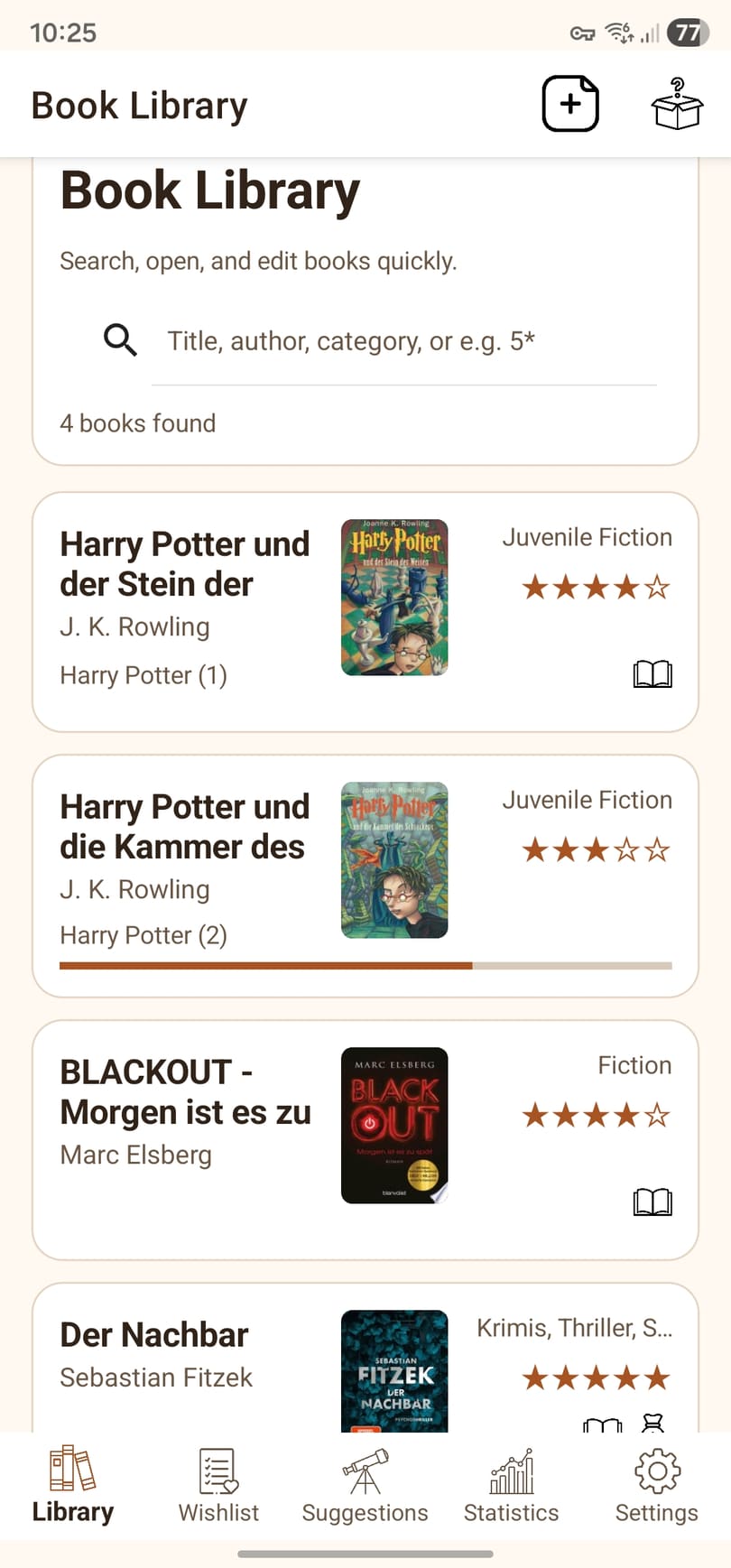
Library view of the Booky Android app in English
Library in Booky

Your collection, covers, and search stay easy to scan inside the library view.

Benefits

Why a useful ISBN scanner needs more than a camera

The scanner only becomes truly helpful when the rest of the flow stays fast too: review, classify, save, and find again later.

Speed

Capture one book or multiple ISBNs in sequence

Booky is designed to stay clear and stable even when you are processing several books in a row.

Review

Preview with metadata and duplicate hints

Before you save, you can review titles, authors, covers, and possible duplicates to keep the collection cleaner.

Context

Scanned books do not disappear into a generic inbox

After capture, you can place the title directly into your library or wishlist and continue working from there.

Flow

The ISBN capture flow inside Booky

The scanner is not an isolated gadget. It is the fast entrance into the actual book management workflow.

1

Scan the ISBN

The camera reads the barcode and starts the metadata lookup through the available book sources.

2

Review the result

You can inspect the proposed record, fill in missing details, and spot duplicates before the final save.

3

Continue with a usable record

Once saved, the book can immediately take part in your library, wishlist, reading state, and further organization.

Who is it for?

Especially useful if ...

The scanner makes the biggest difference when your collection is growing and manual entry is starting to waste time.

  • you want to catalog many books quickly
  • you want barcode capture and library management in one Android app
  • you do not want to discover duplicates much later
  • you want to keep working with status, wishlist, and categories right after the scan
Continue

More around capture and collection management

These pages complement the scanner with the matching topics around Android library management and reading progress.