Collection management

Manage a book collection on Android with wishlist, series, and categories

Booky is built for people who want to manage a private book collection with more structure than a simple title list. It keeps library and wishlist separate and makes series, categories, ratings, notes, and status practical on mobile.

Start right away

Open Booky on Google Play now

The official listing takes you straight to the Android app without extra steps.

Official Android download

Get it on Google Play
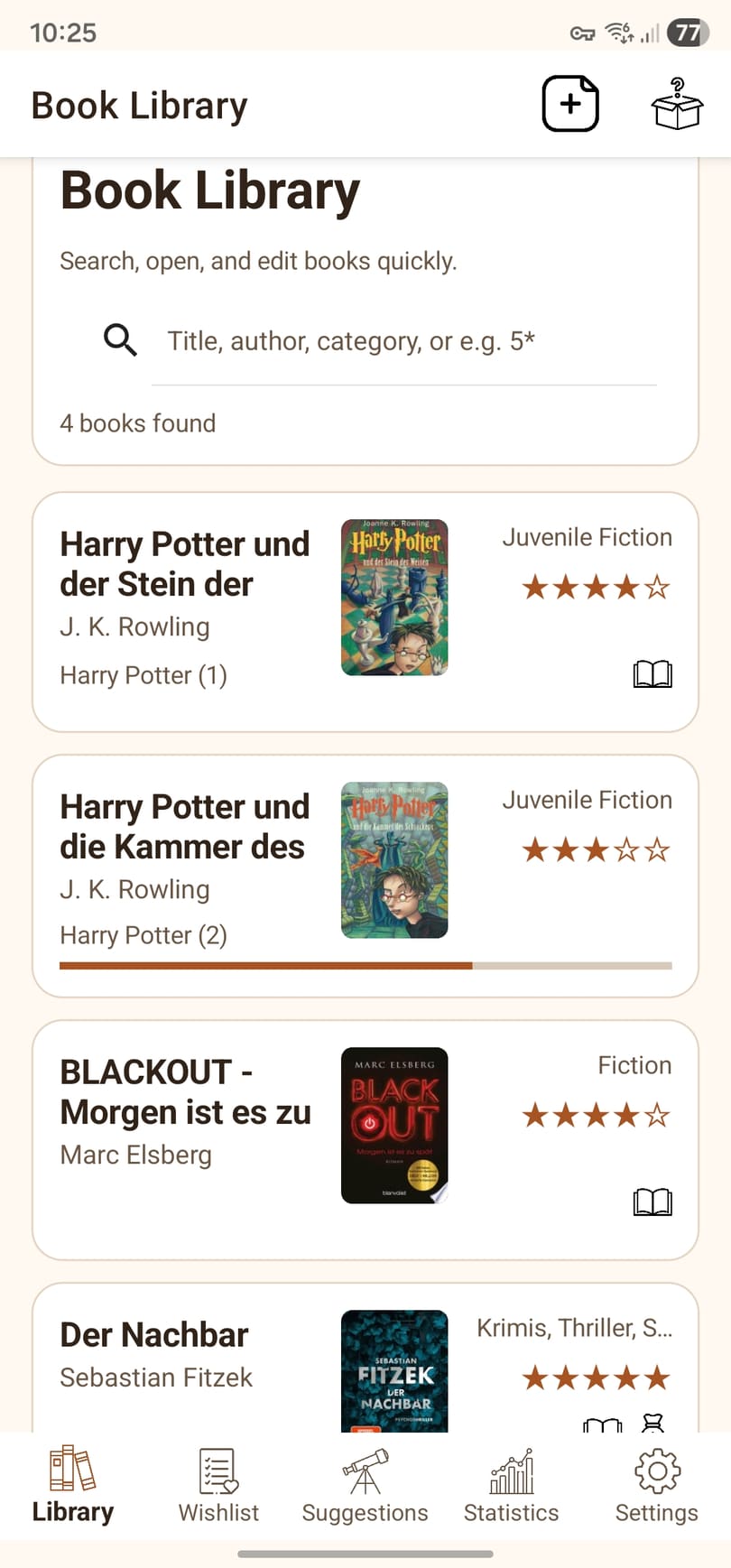
Library view of the Booky Android app in English
Library in Booky

Your collection, covers, and search stay easy to scan inside the library view.

Benefits

What a private book collection actually needs

Once the collection grows, title and author alone stop being enough. That is exactly where Booky becomes more useful than a generic note list.

Structure

Library, wishlist, and status without messy workarounds

Owned, read, sold, and wanted books can stay clearly separated and easier to search.

Context

Series, categories, notes, and ratings stay attached to the book

Instead of scattered extra information, the relevant context stays where you will need it later.

Usage

Reading progress and insights are part of the collection

Booky does not only store ownership. It also helps show what you are reading and how the collection is evolving.

Flow

How a collection stays manageable over time

The real value of a book app shows up less with the first title than with the hundredth.

1

Sort new books early

As soon as you capture a title, you can decide whether it belongs in the library or wishlist and add the right context immediately.

2

Keep it current while reading

Reading progress, ratings, and status can be updated with little effort so the collection stays useful.

3

Find books again later

Search, clear lists, and structured fields keep the collection practical even after it grows much larger.

Who is it for?

A strong match if ...

Booky fits especially well once your collection has outgrown a simple spreadsheet or basic note setup.

  • you want library and wishlist to stay clearly separated
  • you need series, categories, notes, and ratings in one place
  • you want to manage your book collection on Android instead of across several tools
  • you want a clearer record of what you have read, sold, or still want
Continue

More around collection and day-to-day use

These pages complement collection management with scanning, Android use, and reading progress.